
Download Flow Fit APK – fitness tracker, step counter, sleep monitor, running app, GPS tracker, alarm clock, remote camera, mobile utility
Overview
Flow Fit is a lifestyle-focused Android application developed by Shenzhen Haiweida Technology Co. Ltd., designed to support users in managing their daily health and fitness routines. As a free desktop-compatible tool, it serves as a comprehensive companion for individuals seeking to monitor physical activity, sleep patterns, and overall wellness. The app is particularly suited for fitness enthusiasts, health-conscious users, and individuals aiming to adopt more active lifestyles through structured tracking and goal setting. Flow Fit enables users to monitor their daily step count via an integrated step gauge, which can be synchronized with the app to save progress and set personal movement targets. Users can review their daily achievements, helping to maintain motivation and consistency. The app also includes sleep monitoring functionality, allowing individuals to track their sleep duration and quality, potentially supporting better sleep hygiene. For those who enjoy running, Flow Fit incorporates a GPS running feature that records key metrics such as distance, calories burned, and movement trails during each session. The app further enhances user engagement by integrating notification alerts, including calls, SMS, and third-party app notifications, directly to the mobile ring. This ensures users remain connected without needing to unlock their device. The developer did not provide additional details about the app’s background or broader ecosystem.Key Features & Capabilities
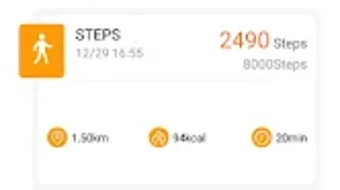
- Step Counter – Tracks daily physical activity using a built-in step gauge, enabling users to set and monitor movement goals over time.
- Sleep Monitor – Records sleep duration and patterns, offering insights to help users improve sleep quality and habits.
- GPS Running Tracker – Uses GPS technology to map running routes, measure distance, calculate calories burned, and log movement history.
- Notification Alerts – Pushes incoming calls, SMS, and third-party notifications directly to the mobile ring, ensuring users don’t miss important communications.
- Alarm Clock – Allows users to set customizable alarms to remind them of daily routines, workouts, or other personal tasks.
- Remote Camera Control – Enables users to take photos remotely using the app, facilitating hands-free photography and creative selfie options.
User Interface, Workflow & Performance
The user interface of Flow Fit appears to be structured around a clean, intuitive layout, optimized for mobile interaction. Navigation is likely streamlined to prioritize core functions such as step tracking, sleep data, and running sessions. Users can access key metrics with minimal taps, suggesting a workflow focused on accessibility and ease of use. The app’s design emphasizes visual feedback through gauges and progress indicators, which may enhance user engagement and motivation. Performance observations are based on general software behavior patterns. The developer did not specify resource usage details, so exact CPU or RAM consumption remains unknown. However, given the app’s feature set—particularly the GPS running tracker—some background activity is expected during active sessions. Stability during extended use has not been documented. The app operates as a mobile utility, and its performance may vary depending on device hardware and Android version. The developer did not provide information about update frequency or crash handling. Users should expect standard Android app behavior, with performance dependent on individual device capabilities.Compatibility & System Requirements
Flow Fit is designed for Android operating systems, with a version release of 1.0.0. The application has a file size of 25.4 MB, indicating a lightweight footprint suitable for devices with limited storage. Compatibility information was partially provided, with the app targeting Android platforms. Specific Android version requirements were not listed, so users should ensure their device meets the minimum system standards for app installation. The developer did not specify hardware requirements such as processor speed, RAM, or storage type. Exact system requirements were not listed. Installation is straightforward, and the app functions as a standalone utility on supported devices.Pros and Cons
Pros
- Free to download and use, making it accessible for budget-conscious users.
- Combines multiple health and lifestyle features in a single application.
- Includes GPS running tracking for accurate route and calorie measurement.
- Offers remote camera control for convenient photo-taking.
- Integrates notification alerts to keep users connected during activity.
Cons
- Missing detailed system requirements may limit user confidence in compatibility.
- Performance and resource usage details were not disclosed.
- No information on update frequency or long-term maintenance.
- Limited availability to Android devices only.
- Exact privacy and data handling policies were not provided.
FAQ Section
Is Flow Fit compatible with all Android devices?
Flow Fit is designed for Android, but specific compatibility details were not provided. Users should ensure their device meets general Android app requirements.
Is the app safe to use?
Flow Fit is a free Android application developed by Shenzhen Haiweida Technology Co. Ltd. While the app functions as a mobile utility, the developer did not disclose detailed security or privacy practices.
How often does the app receive updates?
Update frequency was not specified by the developer. Users should check the app store for the latest version.
Does Flow Fit require an internet connection?
Basic features like step counting may function offline. However, GPS tracking, notifications, and data synchronization likely require an active internet connection.
Can I use Flow Fit without creating an account?
Information about account creation or login requirements was not provided. The app may offer limited functionality without user authentication.




.png)


